Spurbets Login for Players in Kenya
Aviator is about to take off, a Premier League match is kicking off and the daily freebets could drop any minute. That is a bad moment to get stuck on a login screen. Spurbets keeps it simple: phone number, password, one green button. Once a player is in, the balance, the M-Pesa wallet and every promotion are right there. Here is how to log in on any device and get back in fast if something goes wrong.
- 2fields
- 1button
- Anydevice
In this guide6 sections
Section 01
Your Spurbets Login in Three Steps
The Spurbets login takes three steps. Enter the phone number, enter the password and press Play now. The form opens from the Login button in the top right corner of every page.
The login window is called "Login to your account". It sits on top of the page, so the player never loses track of what they were doing.
- 1Enter the registered phone number
- 2Enter the account password
- 3Press the green Play now button
Enter Your Phone Number
The first field is the phone number used at sign-up. It follows the format 0700 000 000, as the grey placeholder shows.
- Tap the Phone Number field.
- Type the number, starting with 0.
- Make sure there is no extra space at the end.
This is the same number that receives M-Pesa withdrawals. Logging in with it also confirms that payouts will go to the right place.
Your Account Password
The second field is the password. An eye icon sits on its right edge. One tap shows the characters, which makes it easy to catch a capital letter the phone keyboard added by itself.
| Element | Where it is | What it does |
|---|---|---|
| Password field | Second field | Takes the password |
| Eye icon | Right side of the field | Shows or hides the characters |
| Forgot Password | Green link under the field | Starts a password reset |
Play Now Button for Account Entry
The green Play now button at the bottom of the form finishes the login. Once it is pressed, the window closes and the account opens.
In the header, the Login and Register buttons give way to the account and the balance. From there, the player can jump into Aviator, open the wallet or check the latest promotions. New players can tap "Don't have an account? Register" under the form title to sign up instead.
Section 02
Spurbets Login on Your Phone
On a phone, players log in through the Spurbets app on Android or the mobile website on iPhone. The login details are the same everywhere.
| Device | How to log in |
|---|---|
| Android | Spurbets APK app or the mobile website in Chrome |
| iPhone | Mobile website in Safari |
| Computer | Desktop website in any browser |
Login in the Spurbets App for Android
Android players log in through the Spurbets app, which installs from an APK file. An APK (Android Package Kit) is the installation file for Android apps outside Google Play.
- Download the APK from the Download App button on spurbets.com.
- Allow Chrome to install unknown apps, then tap Install.
- Open the Spurbets icon on the home screen.
- Tap Login, enter the phone number and password.
- Tap Play now.
The app opens straight into the lobby. The player does not have to type the site address each time.
Login Through the Mobile Website on iPhone
iPhone players log in on the Spurbets mobile website in Safari. The form is identical to the one on the app and the desktop site.
A home screen shortcut makes it even faster:
- Open spurbets.com in Safari.
- Tap Share, then Add to Home Screen.
- Tap Add.
- Open Spurbets from the new icon and log in.
The mobile site updates by itself, so iPhone players always get the newest version.
Section 03
Your Account After Login
After login, a player gets full access to the balance, the M-Pesa wallet, all promotions, the casino and the sportsbook. Everything sits in the left menu or the header.
The menu lists Popular, New Games, Crash Games, Slots, Casino, Sports, Jackpots, Virtuals, Roulette, Promotions and Live Support. A search bar at the top finds games by provider.
Balance and Free KSh 20 Welcome Stake
The balance appears in the header right after login. On the first login after sign-up, the KSh 20 Welcome Stake is already waiting there.
The KSh 20 is a no-deposit bonus. That means Spurbets gives it without asking for a deposit. It works on:
- Crash games, including Aviator
- Casino games
- Virtuals
- Roulette
The amount is visible in the wallet balance in the profile.
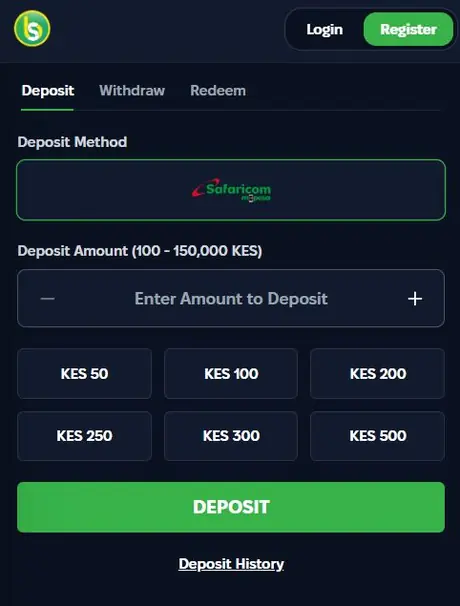
Deposit, Withdraw and Redeem Tabs
The wallet has three tabs. Deposit tops up the balance through M-Pesa. Withdraw sends winnings to the registered number. Redeem takes voucher or promo codes.
| Tab | What it does | Limits |
|---|---|---|
| Deposit | M-Pesa top-up | KES 100 to KES 150,000 |
| Withdraw | Payout to the registered number | From KES 100 |
| Redeem | Voucher or promo code | Depends on the code |
The Withdraw tab has Min, 25%, 50% and Max buttons. Max sends the whole balance in one tap. Spurbets pays out once the account is verified.
Spurbets Promotions for Registered Players
Logged-in players can join every Spurbets promotion. The Promotions page lists them as cards with a green Read More button.
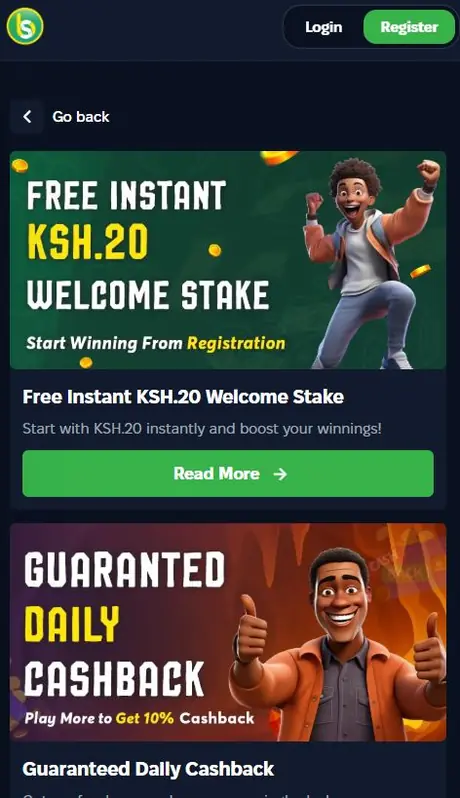
| Promotion | Value |
|---|---|
| Daily Cashback | 10% of lost bets, credited automatically |
| Refer and Earn | KSh 50 per friend + 10% of their deposits |
| Weekly Tournaments | KSh 1,000,000 on Crash Royale, KSh 4,000,000 on JetX |
| Daily Aviator Freebets | KSh 100,000 pool, unwagered |
| Aviator Challenges | Cash, freebets and merchandise |
Unwagered means winnings from a freebet can be withdrawn without betting them again. To catch the daily freebets, the player must be online in Aviator when they drop.
Game Lobby and Sportsbook Access
The lobby opens with the "Top 6 games in Kenya": Aviator, JetX, Crash 1917, Crash Royale, Aviatrix and FootballX. All six are crash games. In a crash game, the player cashes out before the multiplier stops.
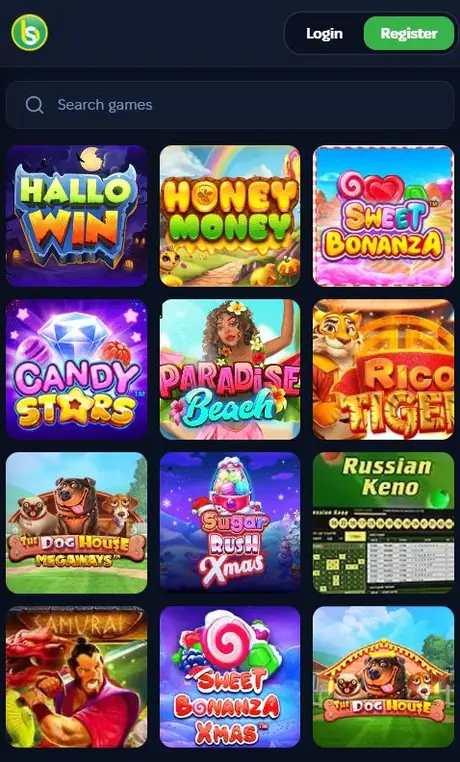
- Crash Games: Aviator, JetX, Aviatrix and more.
- Slots: Sweet Bonanza, The Dog House Megaways, Sugar Rush Xmas.
- Live Casino: Blackjack, Baccarat, Andar Bahar.
- Sports: football, basketball, tennis, ice hockey, volleyball, boxing.
The sportsbook has Live, Top Matches, Upcoming and Favorites filters. Live matches show the clock, the score and a green counter of extra markets.
Section 04
Password Recovery
A forgotten password is a quick fix. Tap the green Forgot Password link under the Password field. The reset works through the registered phone number.
- Open the login form.
- Tap Forgot Password.
- Enter the registered phone number.
- Follow the instructions on screen.
- Set a new password and log in.
The balance and bonuses stay exactly the same after a reset. A good new password has at least 8 characters, mixes letters and digits, and is different from the M-Pesa PIN.
Section 05
Spurbets Login Problems and Solutions
Most login hiccups on Spurbets come down to three things: a typo, the wrong number or a weak connection. Each one has a quick fix.
| Problem | Quick fix |
|---|---|
| Details rejected | Check the number and tap the eye icon |
| Account not found | Use the number from registration |
| Form does not respond | Check data or switch to Wi-Fi |
If nothing works, Spurbets support is open 24/7 at 0720006699 and [email protected].
Incorrect Phone Number or Password
When Spurbets rejects the details, the problem is usually one wrong character.
- Check that the number starts with 0 and matches the registered one.
- Tap the eye icon to look for capital letters and spaces.
- Use Forgot Password if the password still does not work.
Phone Number Without a Spurbets Account
If a number has no Spurbets account, the login will not go through. This happens when a player signed up with a different SIM card.
Trying the other numbers usually solves it. If none of them works, the player can tap Register and open a new account. A new account comes with the KSh 20 Welcome Stake.
Unstable Mobile Internet Connection
A weak signal or an empty data bundle can freeze the login form after Play now.
- Check that the data bundle is active.
- Move to a spot with a better signal or connect to Wi-Fi.
- Reload the page or reopen the app.
- Enter the details again and press Play now.
The login itself uses very little data. A fresh bundle or Wi-Fi usually gets things moving.
Section 06
FAQ
Which Details Do I Need for Spurbets Login?
Just your registered phone number and your password.
Can I Log In With an Email Address?
No. Spurbets login works only with a phone number and a password.
Is the Login the Same in the App and on the Website?
Yes. The Android app, the mobile website and the desktop site all use the same details.
How Do I Reset My Spurbets Password?
Tap Forgot Password under the Password field and enter your registered number. Then follow the steps to set a new password.
Why Can I Not Log In to My Account?
The usual causes are a typo, a different phone number or a weak connection. Check each one, or call support at 0720006699.
Can I Log In on Two Devices?
Yes. You can use the same details on your phone and your computer, and your balance is the same on both.